A popular tool for managing your hosting account is a web hosting control panel. It can be used to handle domain names you’ve bought, set up software, make and manage email accounts, upload website files, and more.
By connecting to the server directly, you can complete all of these tasks. However, this calls for some understanding of development. Web panels typically save consumers time, are easy to use, and are intuitive.
On the internet, there are several panels to choose from. Each of them has a unique design and feature set. We will examine five of the most common control panels in this article.
Plesk Web Hosting Control Panel

A VPS hosting control panel with an easy-to-use graphical user interface is Plesk. To streamline operations, it enables customers to manage their website files, domains, email accounts, and databases from a single panel.
One of the most user-friendly and feature-rich control panels is Plesk. Some of its standout attributes that facilitate server management duties are as follows:
- Automation of tasks makes it simpler to manage servers by allowing users to plan job execution. They can design bespoke tasks, such as launching a PHP script or a command.
- Users have complete control over their control panel access rights while using the restricted access option. This function assists in preventing unauthorized individuals from changing your servers.
- Users of the advanced monitoring service can monitor system resource usage by domain to identify potential performance concerns.
- Users can automatically fix potential server problems with the help of the repair kit.
- Users may purchase and set up fresh SSL certificates from a variety of providers right from the Plesk dashboard with SSL It!
Numerous operating systems, including Windows Server and different Linux Distributions, are compatible with Plesk. There are currently two versions of Plesk: the outdated Onyx and the brand-new Obsidian.
Obsidian is simpler to use because it has more functionality and a better user interface. You can upgrade for free to Obsidian if you already have a Plesk Onyx license.
Plesk is a control panel available with Realjossy VPS plans’ CentOS and Ubuntu operating system configurations. Log into your hosting account and go to VPS Operating Systems to switch to Plesk. After that, click OS with Templates under Change Your Operating System by scrolling down. Similar to cPanel, Plesk is a license-based hosting control panel. Purchase the control panel license at Realjossy from the Change Your Operating System page prior to installation.
cPanel
Only Linux OS users can access this panel. It has a WHM (Web Host Manager) server control interface in addition to a graphical user interface. You can administer your website in either of these environments because they both interact with one another.

There are numerous unique features in cPanel. It’s quite helpful that they are all on the same page because it eliminates the need to navigate through multiple menus to find what you’re looking for. Additionally, each feature has a brief description that explains what it can do. The key features on offer are as follows:
- Domain name settings, registration, and transfer
- Email creation and management, spam filter management, autoresponders, and email forwarder setup
- Visitor and error logs
- Database creation and management
- Security features such as IP blockers, leech protection, and password-protected directories
- Server performance monitoring
- Backup creation and automation
- File manager and FTP user creation
- Lots of third-party apps and tools to extend functionality
Direct Admin Web Hosting Control Panel
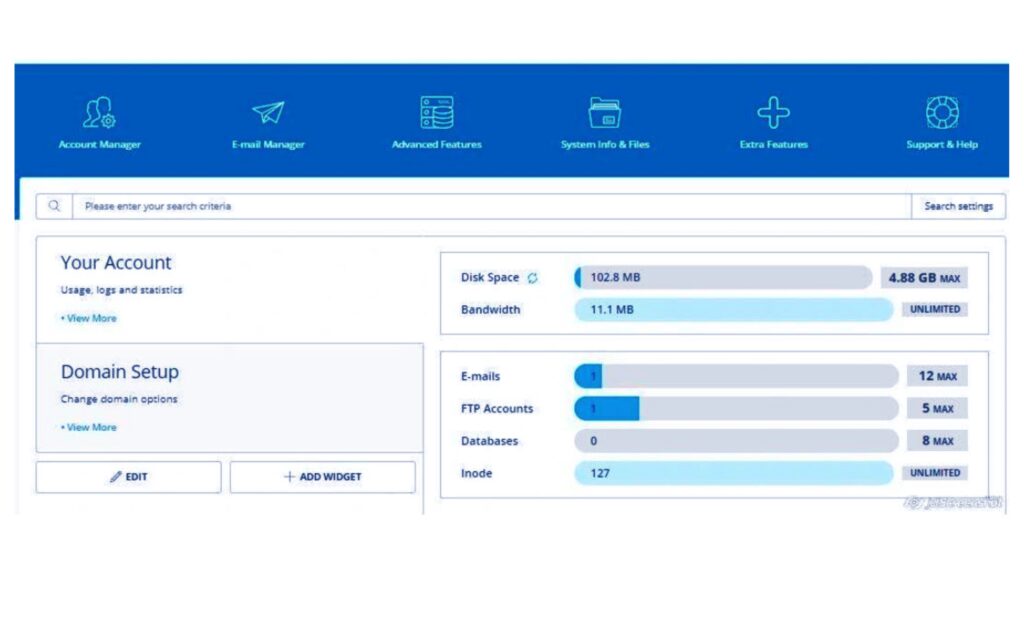
Systems running BSD and Linux can use DirectAdmin. Users of Realjossy VPS plans can install one of the most affordable hosting control panels using the CentOS template.
The top of the page lists and categorizes each option. Administrator, User, and Reseller access levels are all supported by this control panel. It also contains integrated anti-spam technologies, and you can see the full consumption statistics for each resource. Among its many features and possibilities are the following:
- Administration of DNS
- Maintenance and construction of databases
- Establishment and administration of reseller accounts
- Construction of a backup
- Administration of files
The simplicity of this panel, however, is its greatest benefit. It doesn’t require technical knowledge to comprehend and use it.
All Realjossy plans come with access to this control panel. Every installation of our DirectAdmin hosting comes with a free license.
Webmin Web Hosting Control Panel
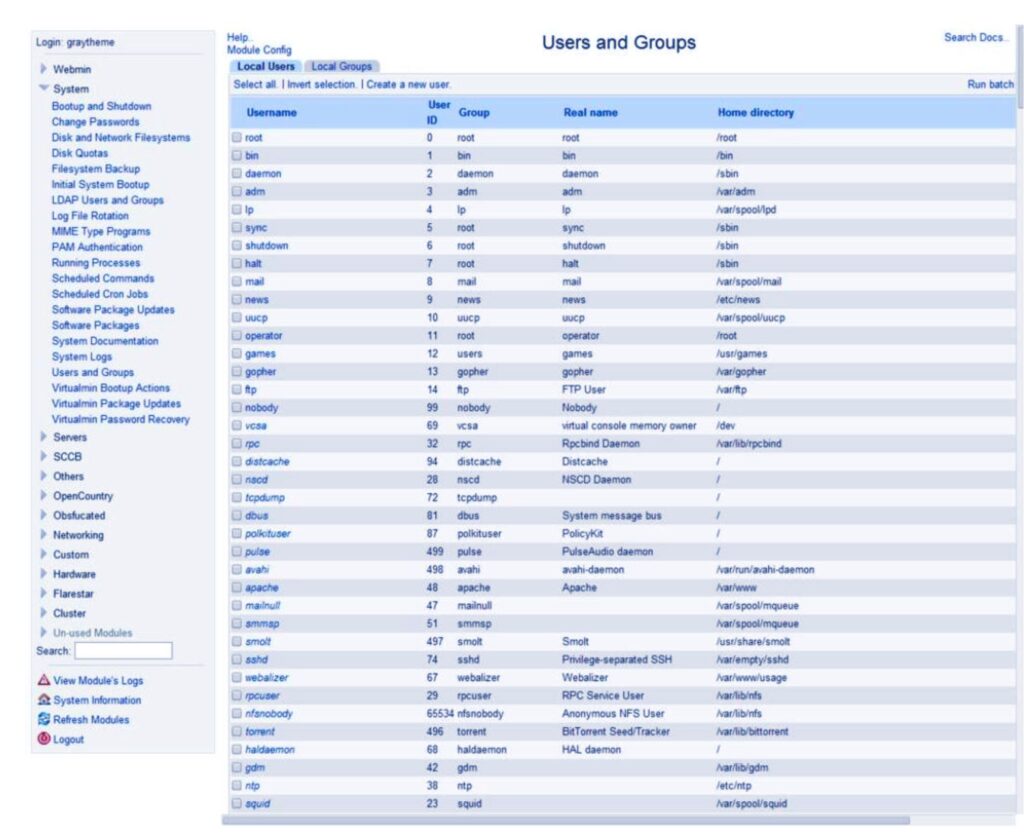
All Unix systems, including but not limited to BSD, Linux, and Solaris, can use this online panel. Additionally, it is partly compatible with Windows OS. This indicates that while Webmin can be installed on Windows, not all of its features will be available.
Although Webmin’s design is not the easiest to use or the most straightforward, it is very configurable. It has an Apache web server, for instance, which may be used to configure Apache features and directives. In addition, cPanel’s developers produced a number of other panels based on it to accommodate various hosting needs and purposes:
- Web interface called Usermin is used to manage emails, set up mail filters, create passwords, etc.
- The user interface for managing virtual servers is called Cloudmin.
- To administer many virtual hosts, utilize Virtualmin (a program similar to Plesk).
Although Webmin is free and installable on the majority of operating systems, it may not be as convenient as other panels mentioned in this article. For instance, Webmin can be used with CentOS, Debian, and Ubuntu templates by Realjossy VPS users.
ispmanager Web Hosting Control Panel
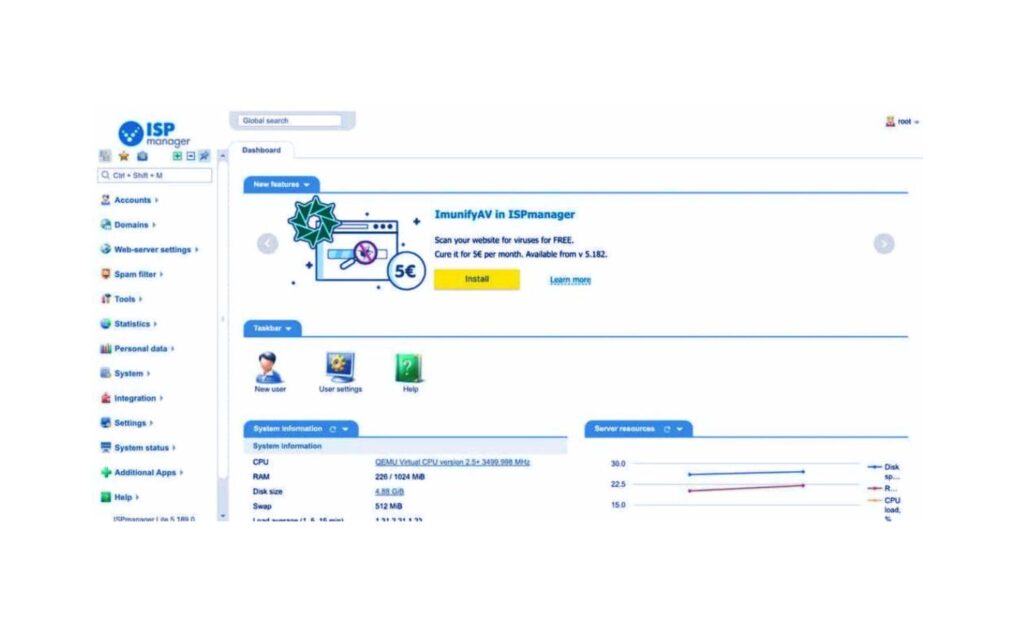
The majority of Eastern European hosting businesses use the Linux-based control panel known as ispmanager. Although it has a very straightforward design, it is still a viable solution.
This web panel is available in four different versions: Lite, Pro, Host, and Business. In addition to other functions that are more or less prevalent for each panel, the first one, Lite, can be used for:
- Web server administration
- establishing users with various access levels
- data import from distant servers
Because of this, dedicated servers and VPS options predominately use the Lite panel. The Business edition is better for shared or reseller hosting because it provides for the simple creation and management of user accounts as well as the management of many servers (clusters).
Conclusion
The benefits and cons of each of the aforementioned panels make it challenging to choose the best one. However, these web panels all share the ability to simplify and expedite server and hosting management.
Also Read: 3 Things to Do to Keep Your WordPress Website Active
Also Read: How to Increase The Speed of Your WordPress Website
Also Read: How to Display Facebook Page Reviews on a WordPress Website
Also Read: How to Integrate Web Push Notifications Into your WordPress Website
Also Read: How to disable right-clicking on WordPress Website
Pingback: How to Choose the Best Load Balancer
Pingback: Vps Hosting How to Manage VPS HOSTING